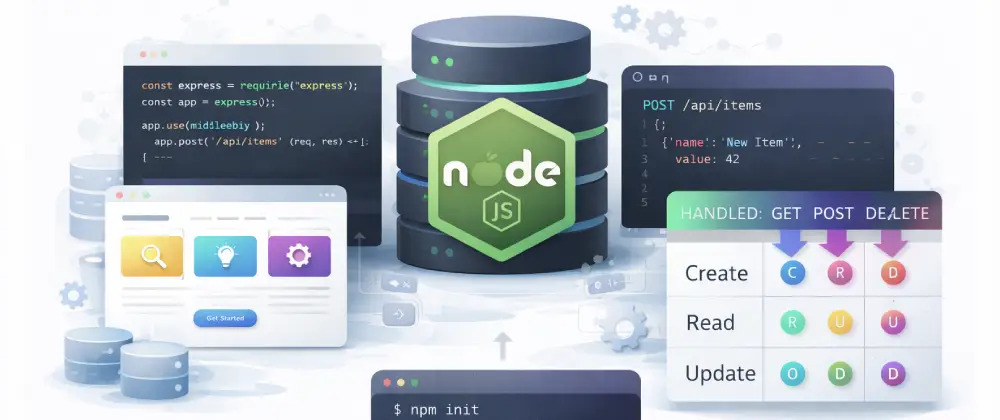
Build a backend API with Node.js
In this codelab you'll learn what a backend is, set up a Node.js project with Express, create REST API routes, handle HTTP methods, add middleware, and build a complete CRUD API.
Before you start
This codelab assumes you've completed:
- • Getting started with Node.js & npm — Node.js and npm installed on your machine
What you'll use
- Node.js — A JavaScript runtime that lets you run JavaScript outside the browser — perfect for building servers. Learn more →
- Express — The most popular Node.js framework for building web servers and APIs. Learn more →
- npm — The package manager for Node.js — install libraries and manage dependencies. Learn more →
1What is a backend?
When you visit a website, everything you see — buttons, text, images — is the frontend. But most apps also have a backend: a server that handles data, business logic, and communication with databases.
The backend receives requests from the frontend (like "show me all the products") and sends back responses (like a list of products in JSON format).
What backends do
- •Store and retrieve data from a database
- •Handle user authentication (login, signup)
- •Process payments and send emails
💡 Think of it this way
If a restaurant is your app, the dining room is the frontend (what customers see) and the kitchen is the backend (where the food is made). The waiter is the API — carrying requests and responses between them.
2What is Express?
Express is a lightweight, flexible framework for Node.js that makes it easy to build web servers and APIs. It's the most widely used Node.js framework, powering millions of applications.
- •Routing — Define URL paths and what happens when someone visits them.
- •Middleware — Functions that run before your route handlers — great for logging, authentication, and parsing data.
- •JSON handling — Built-in support for sending and receiving JSON data.
- •Ecosystem — Thousands of npm packages work with Express — from database connectors to authentication libraries.
Express doesn't force you into a specific project structure. You start simple and add complexity only when you need it.
3Create the project
Open your terminal and create a new folder for your API:
mkdir my-api && cd my-api
npm init -y
npm install express
This creates a project folder, initializes a package.json, and installs Express. Your folder structure looks like this:
my-api/
├── package.json
├── node_modules/
└── server.js        # You'll create this next
💡 Tip: If npm init -y doesn't work, make sure Node.js is installed. Check with node --version.
4Build your first route
Create a file called server.js in your project folder and add the following code:
// server.js
const express = require('express');
const app = express();
const PORT = 3000;

// A simple GET route
app.get('/', (req, res) => {
  res.json({ message: 'Hello from my API!' });
});

app.listen(PORT, () => {
  console.log(`Server running at http://localhost:${PORT}`);
});
Start the server:
node server.jsOpen a new terminal and test it:
curl http://localhost:3000You should see:
{ "message": "Hello from my API!" }5Understand routes and HTTP methods
APIs use different HTTP methods for different actions. Here are the most common ones:
| Method | Purpose | Example |
|---|---|---|
| GET | Read data | GET /todos |
| POST | Create data | POST /todos |
| PUT | Update data | PUT /todos/1 |
| DELETE | Delete data | DELETE /todos/1 |
Each route is a combination of a method and a path. Express makes it easy to define routes for each one.
6Build a CRUD API
Now let's build a complete API for managing a todo list. Replace the contents of server.js with this code:
// server.js
const express = require('express');
const app = express();
const PORT = 3000;

// Middleware to parse JSON request bodies
app.use(express.json());

// In-memory data store
let todos = [
  { id: 1, task: 'Learn Express', done: false },
  { id: 2, task: 'Build an API', done: false },
];
let nextId = 3;

// GET all todos
app.get('/todos', (req, res) => {
  res.json(todos);
});

// GET a single todo by ID
app.get('/todos/:id', (req, res) => {
  const todo = todos.find(t => t.id === Number(req.params.id));
  if (!todo) return res.status(404).json({ error: 'Not found' });
  res.json(todo);
});

// POST a new todo
app.post('/todos', (req, res) => {
  const { task } = req.body;
  if (!task) return res.status(400).json({ error: 'Task is required' });
  const todo = { id: nextId++, task, done: false };
  todos.push(todo);
  res.status(201).json(todo);
});

// PUT (update) a todo
app.put('/todos/:id', (req, res) => {
  const todo = todos.find(t => t.id === Number(req.params.id));
  if (!todo) return res.status(404).json({ error: 'Not found' });
  if (req.body.task !== undefined) todo.task = req.body.task;
  if (req.body.done !== undefined) todo.done = req.body.done;
  res.json(todo);
});

// DELETE a todo
app.delete('/todos/:id', (req, res) => {
  const index = todos.findIndex(t => t.id === Number(req.params.id));
  if (index === -1) return res.status(404).json({ error: 'Not found' });
  todos.splice(index, 1);
  res.status(204).send();
});

app.listen(PORT, () => {
  console.log(`Server running at http://localhost:${PORT}`);
});
This gives you a fully working CRUD (Create, Read, Update, Delete) API. The data lives in memory, so it resets when you restart the server — we'll connect a database in a future codelab.
7Test your API
Restart the server:
node server.jsThen try these curl commands in another terminal:
# List all todos
curl http://localhost:3000/todos

# Create a new todo
curl -X POST http://localhost:3000/todos \
  -H "Content-Type: application/json" \
  -d '{"task": "Deploy my API"}'

# Update a todo
curl -X PUT http://localhost:3000/todos/1 \
  -H "Content-Type: application/json" \
  -d '{"done": true}'

# Delete a todo
curl -X DELETE http://localhost:3000/todos/1
💡 Tip: You can also test APIs with tools like Postman or the VS Code REST Client extension. They give you a visual interface for sending requests.
8Add middleware
Middleware functions run between receiving a request and sending a response. They're useful for logging, authentication, error handling, and more. Here's a simple request logger:
// Add this BEFORE your routes
app.use((req, res, next) => {
  console.log(`${req.method} ${req.url}`);
  next();
});
You'll also want CORS support so your frontend can talk to this API. Install the cors package:
npm install corsconst cors = require('cors');
// Allow requests from any origin
app.use(cors());Now any frontend application can send requests to your API.
💡 What is CORS?
CORS (Cross-Origin Resource Sharing) is a security feature in browsers. By default, a frontend at localhost:5173 can't call an API at localhost:3000. The cors middleware tells the browser it's ok to allow these cross-origin requests.
9What's next
You've built a working REST API! Here are some great next steps:
🔗 Connect a frontend
Wire your API to a React app — Connect frontend to backend
▲ Deploy your API
Put your API online — Deploy web apps with Vercel
🐙 Version control
Track your code with Git — Getting started with GitHub
📖 Lesson: See how backend APIs fit into web application architecture in our Elements of a web application lesson.
You did it!
You've built a backend API from scratch with Node.js and Express, learned HTTP methods, created CRUD routes, tested with curl, and added middleware. You're ready to build real server-side applications!
Back to codelabs